Showing posts with label Dropbox. Show all posts

Sunday, March 13, 2011

"Hand Over Your Camera" Will Be a Phrase You No Longer Need to Fret About

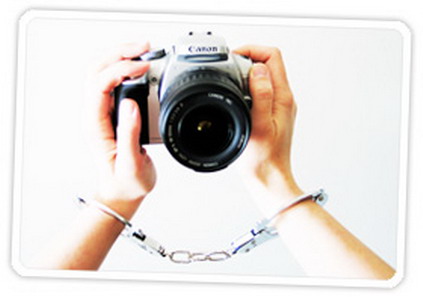
We've all seen that movie scene where the bad guy makes the good guy hand over the camera that contains images of whatever nefarious activity the bad guy was engaged in.  And while it's illegal for anyone (police officer, security guard, even a TSA agent) to demand your camera, it happens. (Okay, it doesn't happen often, but let me enjoy writing this introduction to a great iPhone app.)

Now that we always have our cameras with us whenever we have our phones, it's good to have a way to back up and share our photos wirelessly from anywhere in the world.

There's a very handy app you can get for your iPhone, CameraSync, that will automatically upload every photo you take, seamlessly, effortlessly, and invisibly, to Dropbox or another online service, including iDisk, FTP server, Amazon S3 bucket, Flickr account or Box.net. (I like Dropbox because it's: 1. dead simple to use; 2. free; 3. accessible from any computer or your smartphone from anywhere.)

Even if you're not worried about having your smartphone camera confiscated at the Libyan border, being able to share and secure your photos in the blink of an eye means that you'll never lose your precious photographs. So hop on over and get CameraSync for $1.99 and Dropbox (free.)

Saturday, January 22, 2011

Livedrive: Backup and File Sharing

Computing in the cloud has its great benefits. I used to have both feet firmly entrenched in the Microsoft Office group: Outlook for email, Word for writing. But when I got my most recent computer, I decided not to install Outlook. Sure, I'd be down if the Internet went down, but that's rare. And I also realized that when something goes wrong with a major program such as Outlook, it might take a long time for me to fix it as I try this, that, and the other thing. But when Google Docs has a glitch, a couple of dozen really sharp people are going be summoned to fix the problem.

I've written about cloud computing --the art of using online software-- before.  Cloud compuing involves being able to access your files from any computer, any time. Online software suites such as Google Docs and Zoho Writer let you do that, but sometimes it's helpful to be able to access your desktop's computer's files wherever you happen to be.

Livedrive is an interesting and useful service that you might want to consider if you're stepping into the cloud. In addition to providing inexpensive unlimited backup, Livedrive can create a shared drive. Through Livedrive you create an "L" drive on your computer (or other drive letter), and any of your computers can access that drive. Anything you copy to your L drive will be available on any other computer's L drive.  You can also access your files on your smartphone. Pretty handy.

I want to revisit two other online services that you can use to get your stuff from here to there. Dropbox is the cat's pajamas when it comes to Internet file sharing. If you don't have a free Dropbox account (2GB of storage; you can purchase more), now's the time. Dropbox has an iPhone app, so you can also access your files on your smartphone.

Evernote is one of my essential programs. Unlike most other file sharing programs, Evernote enables you to share notes (including audio graphics) and access your notes from your computer, the Internet, or your smartphone.  You can quickly and easy clip and paste notes from websites, emails, or anything else into Evernote.  Evernote is free (with limits), and you can also get an enhanced, paid Evernote account.

These three services, Livedrive, Dropbox and Evernote make cloud computing easier and risk-free.

Thursday, January 6, 2011

Mac Users Meeting at CP Library Saturday: Learn about Dropbox and RSS News Feeds

At the next meeting of the National Capital Area Mac Users Group there will  a demonstration of the cloud utility Dropbox. The meeting and demo will take place at the Cleveland Park Library Saturday January 8, 2011, from 10 am to 12 pm. The library is at Connecticut Avenue and Macomb Street, NW.

I've praised Dropbox in previous articles: It's a great way to share files, back up stuff, and move photos and videos from your smartphone to your computer (and vice versa.) Dropbox is also free; if you want to get Dropbox and play around with it in advance of Saturday's meeting, click here

At Saturday's meeting there will be a review of how to use RSS Internet Newsfeeds that create easy access to personalized digests of online topics. A great time saver if you're trying to follow a subject or subjects. You'll have plenty of time to ask questions during the question and answer session. 

The meeting is free and open to the public. For more information, visit the Mac User's Group's website.

Tuesday, December 21, 2010

How to Move Your Stuff from Your Cellphone or iPad or Netbook to Your Computer and Vice Versa

Smartphones (not to mention tablet computers and netbooks) are great, but they have a number of annoying properties. On the top of that list is the trouble getting information --files, clips, notes, photos-- from one device to another. This can be especially aggravating with iPhones and iPads because they don't have USB ports into which you can plug a little thumb drive.

In the realm of software solutions, there are those programs that will transfer your stuff when you connect your device to the mother ship, your PC. But in a perfect world, you shouldn't have to physically connect your phone or tablet computer to another machine: You should be able to transfer everything without wires. No wires is one of the points to having a smartphone or tablet computer in the first place.

There are two programs that can easily move data from one device to another: DropBox and Evernote. Using them is a cinch, and both applications are free. (DropBox and Evernote cost if you exceed a certain amount of data, but for the purpose of moving data between phones, tablet computers and desktop computers, the free plans should work fine.) DropBox and Evernote serve different functions, so you'll need both.

DropBox is the perfect solution for transferring files, especially videos and photographs. Because it works wirelessly, you can transfer your data anywhere and anytime you want. I found DropBox to be perfect for getting photos from my iPhone to my iPad. Prior to using DropBox, I had to first sync my iPhone, then find the photo on my computer, then sync it back to my iPad. If DropBox sounds handy to you, sign up here.

Evernote has a different function, but also useful: Evernote lets you sync everything else between devices -- and that everything else includes notes and items in your clipboard. With Evernote, anything I copy (you know, that control-C command in Windows) can automatically arrive on my iPhone. It's great for putting phone numbers, web URLs, directions --anything-- you want on your smartphone or tablet computer. Sign up for Evernote here.

The concept behind this is that your data should, and can be, available to you on any device. The device and platform don't matter with DropBox and Evernote: They're designed to make your data-life simple and easy, regardless of what technology you're using.

Wednesday, December 8, 2010

Tech Tip: How to Get Your Files from Here to There

The web is populated with free and paid services that let you store your data in the cloud so you can retrieve it wherever you are. One of the most versatile and easy-to-use services is Dropbox.  We'll be posting a more in-depth review of Dropbox soon, but in the meanwhile, if you've been puzzling over how to get your photos from your iPhone to your iPad, your Word documents from your office computer to your netbook, or share videos with your family, Dropbox may be just what you're looking for. And Dropbox is free up to 2 gigabytes of storage.  Click here to give it a whirl.