Showing posts with label ipad. Show all posts

Thursday, March 10, 2011

Post Columnist to Speak About Tax-Preparation Software Saturday

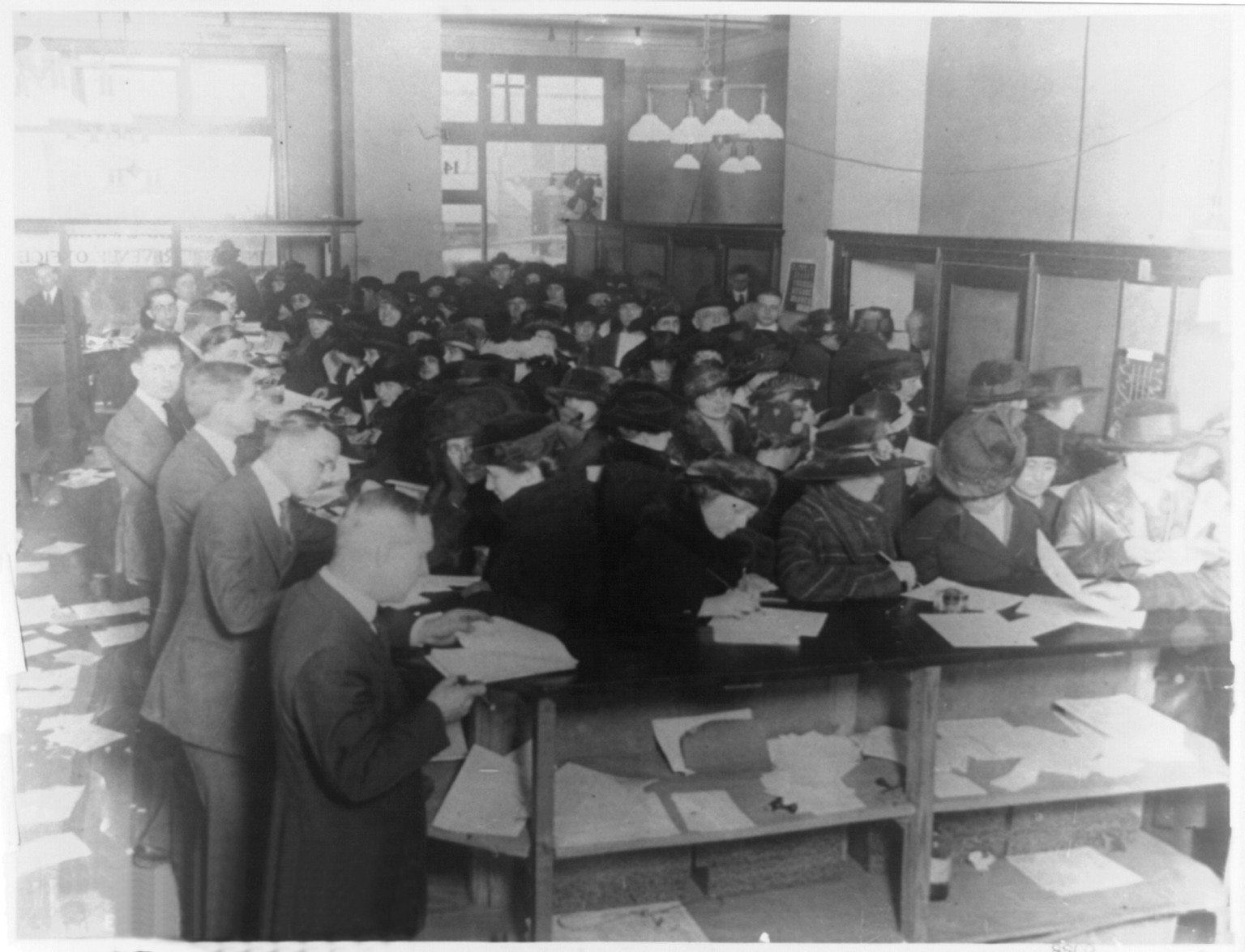
People filing out tax forms in at the IRS office
in the 1920's. Photo from Wikimedia Commons
I hate to break the mood, but tax season is here. You have four choices when it comes to doing taxes: 1. Mortgage your house and hire a tax preparer, 2. Flee to Libya, 3. Forgo sleep for the next month and do it yourself, 4. Use automated, magical, tax-preparation software.

If you're inclined to pursue plan #4, then you'll want to hear Rob Pegoraro, Washington Post technology columnist, talk about financial and tax preparation software. He will be speaking on Saturday, March 12, 2011, from 10 AM to 12 noon at the Cleveland Park Public Library, located at Connecticut Avenue and Macomb Street, NW.

Pegoraro will also talk about the iPad 2. (Yessssss!) A question and answer session will follow Rob Pegoraro's remarks.

The event is sponsored by the National Capital Area Macintosh User's Group.

Saturday, February 19, 2011

Cats and iPads

We just couldn't help but share this video. It's so so so fun and cute.

Saturday, February 12, 2011

Good Morning: 40's Today

Look for a high in the mid-40's today. It will be sunny and breezy, with 15 mile per hour winds out of the northwest, gusting to 30 miles per hour. And for Sunday: lower 50's

Today's Deals: Harman Kardon Soundsticks III for $164.00, which are as beautiful to look at as they are to listen to. It's time to ditch your ugly computer speakers and step up to something that would make even Steve Jobs envious.

A Suncast 18-inch ergonomic shovel for $26.99. We still have February and March to get through, and chances are good that you're going to do a bit more snow shoveling. Why ruin your back with a regular, non-ergonomic shovel?

A box of 48 Ferrero Rocher hazelnut chocolates for $19.50. OMG, too delicious to describe. And 48 should last you at least a few days.

If you're looking to defend and protect your iPad, there's no better case than the Otterbox iPad Defender, which  has been discounted to $48.99.

Wednesday, February 9, 2011

The iPad Is a Magic Machine, But Is the Android Tablet More Magical?

I love my iPad. I used to reserve the word "love" for my kids and wife and these dark chocolate covered marshmallows from Schwartz's Candy. But the iPad is up there: It's my email machine, my movie player, my web browser, my music dispenser, my note taker. It's instant-on (take that, Windows!) and the battery lasts one round trip bus ride between Washington and New York.

But the iPad has a serious and fundamental flaw. With other tablets to choose from, especially those with Google's Android operating system and especially the very exciting Motorola Xoom, Apple has got to stay edgy, innovative and change some of its philosophies. And here's the one that will come back to bite off a piece of the Apple: You must connect your iPad to a computer to activate it. You must connect it to a computer to update the operating system. You must connect it to a computer if some problem requires that you reset it.

Requiring that the iPad be wired to a computer means that you can't give it as a present and have it up and running right out of the box, and you can't update the operating system while you're traveling or if your computer isn't available. It means that if the iPad suffers a big crash (rare, but it happens) while you're on a trip, you're out of luck until you can reconnect it.

This also means that your iPad is dependent on the clunky, extraordinarily slow, and crash-prone program, iTunes.

While most of the time you don't have to ever connect your iPad to a computer, when you must but  you can't, you may be wishing you had an Android.

Tuesday, January 25, 2011

Handy Tip for Traveling With Your iPad or other Wirless Device

What do you do to with your iPad if you get to a hotel that has Internet, but the wired variety? How do you connect your iPad to the Internet without an Ethernet port?

The solution is to use a portable router. Portable routers work just like your home router, only they're much smaller.  Two very good ones are the D-Link AirPlus and the TRENDnet Travel Router. Without a router, your dream of being able to stay connected while at a hotel might become a nightmare. With a portable router (sometimes called "pocket router"), you'll stay connected, regardless of whether  the hotel you're staying at has a wifi or wired connection.

Traveling with a pocket router two additional benefits: You can connect multiple computers to the router, so your family doesn't fight over Internet connection time; it's a good idea to have one, even if you're traveling with a regular laptop or netbook. A portable router can also let you pay just one connection fee for everyone. (Don't get me started on hotels that charge for wifi. These days, not having free wifi is like charging guests for water.)

Before your next trip, pick up a portable router.

Tuesday, November 9, 2010

Extra! Extra! The Washington Post iPad App Is Here

Following in the footsteps of the New York Times and USA Today, the Washington Post announced its own iPad app yesterday.

Until now if you wanted to read the Post on your iPad, you either had to use the iPhone app, which displayed the paper in half-size (not fun) or on a web browser, which isn't that rich of a newspaper experience.

The Post's iPad app is clean and very user-friendly. The first article appears in under two seconds, about three times as fast as the Times' iPad app loads. And so far it hasn't crashed. By comparison, the current Times iPad app is very crash-prone.  (Unlike a PC, when an app crashes on an iPad it doesn't bring the operating system to its knees.)

The Post's iPad newspaper app is free through February 11, 2011, after which you'll have to pay 99 cents a month if you already subscribe or $2.99 a month if this is the only way you get the Post.  The New York Times will also start to charge a fee early next year.

The Post iPad app feels more ad-heavy and a bit more cluttered than the Times or USA Today's iPad app. But I don't mind that: Advertising, along with subscription fees, are what will keep newspapers alive. Amazon just announced that it would be increasing the share of revenue that newspaper publishers receive on its own Kindle -- another electronic newspaper reading option.

The app lets you easily share an article via Twitter or Facebook, which I guess is the undeniable trend for everything these days. At least the app doesn't show you whether or not your friends like a particular article, as many news websites do. (I like my friends. I respect my friends' opinions. But when I read the news online I want to just read the news.)

Just as with the changeover from film cameras to digital cameras, the move toward electronic newspapers is unstoppable.  In the early days of digital cameras we heard the refrain, "digital will never replace film." Just as, years before we heard "CDs will never replace LPs." Electronic newspapers will replace paper sooner than later. That will be one less thing to have to recycle every week.

Friday, October 15, 2010

The Universe Changed Today: New York Times in Full Available on iPad

10.15.10.  Remember this day. Today the New York Times offers the full New York Times on an iPad app.  It's glorious, it's beautiful, and it's free (until early 2011).

Until today there were three equally unpalatable options for reading the Times on your iPad: You could use the iPhone app, which displays a half sized paper, read the Times using the iPad's web browser, or read articles using the Times' Editor's Choice app, which gave you about 1/20th of the paper's content. All of these options basically sucked, to use a technical term.

Rumor has it that the reason that the Times took so long to offer an actual iPad app was that they had an exclusive deal with Amazon barring the Times from coming out with a full-newspaper app on any tablet-sized device other than the Kindle. But whatever the reason, the New York Times app is finally here, with sections, photos, videos, the works. It's time to wake up and smell the lack of newsprint.

Will a Washington Post iPad app be appearing soon?

Monday, September 13, 2010

You Won't Cancel Your Washington Post Subscription and Here's Why

Update: According to Buzzblog, Apple forced Newsday to remove this very funny and clever advertisement.  In this advertisement (which I'll describe, because it's becoming hard to find) the father at the morning breakfast table hears a fly buzzing. When the fly lands on the breakfast table, he swats it and the iPad's glass screen shatters. Buzzblog quotes one unnamed Apple source as saying, "Newsday got a cease and desist letter threatening all of our apps, if we did not remove the commercial immediately. They took exception to the fact that the (iPad) glass shattered into large jagged pieces." Sigh. Somebody at Apple has no sense of humor. There are still some copies of this ad floating around YouTube, and it's worth watching before the ad disappears entirely.